Blogs / Computer vision
Interior Design with AI: Why It Changes Your Room’s Structure
· 13 min read · I did not train these models. I read the entry’s code and settings, ran three rooms through it, and compared two of them with a multimodal model. Based on a public entry to AIcrowd’s Generative Interior Design Challenge 2024, read from its code.
An AI redesigns a room by repainting its photo, which is why it can quietly move a door or erase a window. This is how interior design with AI works, why the room’s structure changes, how to get a good result, and how to check it. The worked example is a 2024 competition entry that needed eight separate AI models.
The task, and the rules
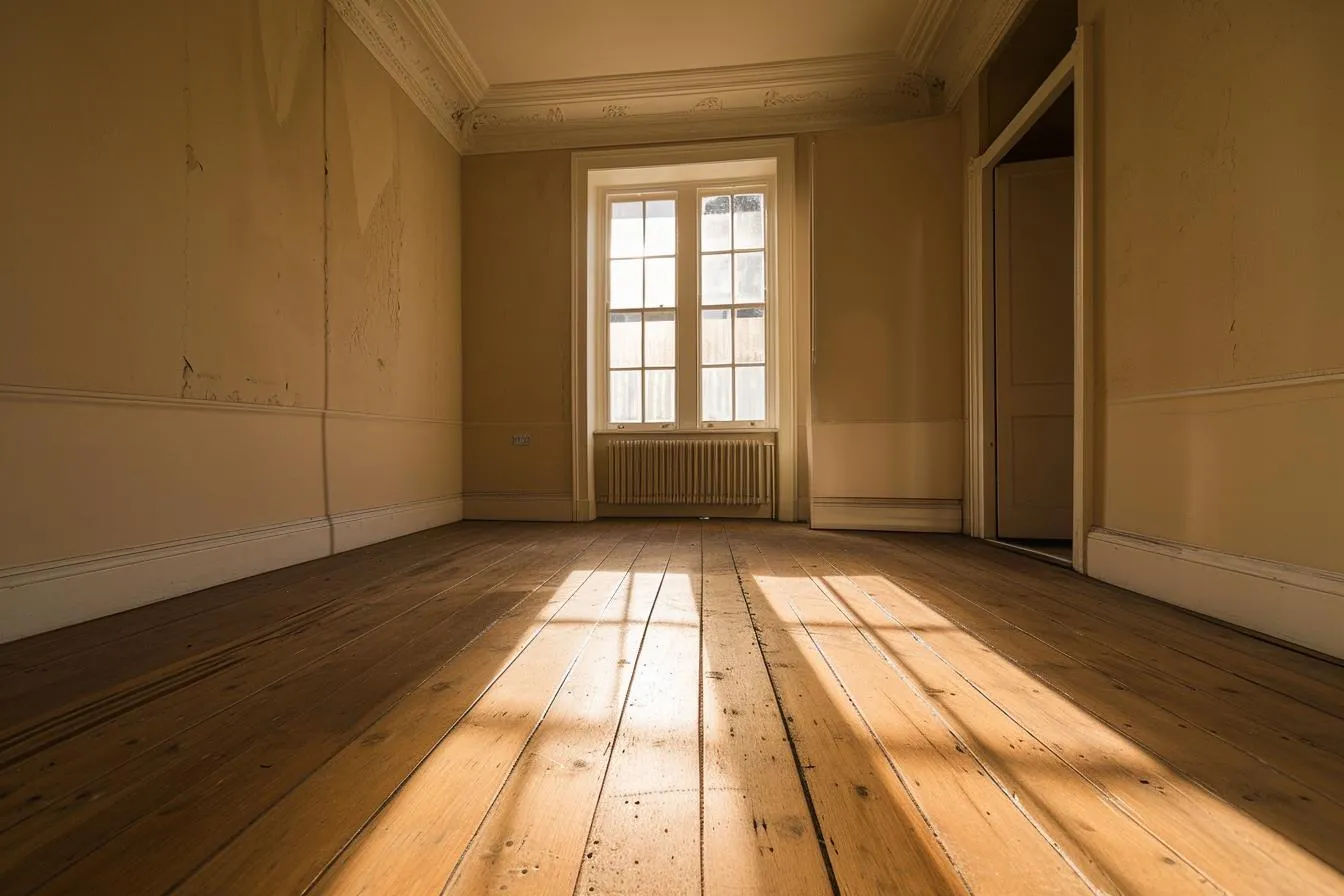
If you are a designer, the stakes are simple: a tool that moves a door is useless, however nice the sofa. So the task is strict. Input: a photo of an empty room and one sentence.
“A Bauhaus-inspired living room with a sleek black leather sofa, a tubular steel coffee table exemplifying modernist design, and a geometric patterned rug adding a touch of artistic flair.”
Output: the same room, furnished. Same walls, window, door and camera angle, and the same image size as the input. If the room’s shape, windows or doors change, the image gets a 0 score. A designer does this in minutes. The competition required software to do it with no human in the loop, and expert panels then scored the results on room layout, realism, functionality and how well they matched the prompt.
Why AI changes your room’s structure
Anyone who has tried an AI room redesign has seen it: the sofa is lovely, but the doorway is now a wall. Three things in how these systems work cause it.
- The painter invents, it does not measure. It repaints a picture from patterns it learned on millions of images. A window is a pattern to it, not a fixed fact about your room.
- Only what it recognises is protected. The system locks the parts it labels as windows and doors. An opening it does not label that way, such as a doorway with no door in it, may be treated as just another surface and repainted.
- Nothing checks the result against your photo. The judge in this pipeline only asks whether the picture matches your sentence. A room that looks great but has lost a doorway can still win.
The sections below show where each of these happens, then how to design a room with AI while guarding against them.
One run, step by step
This is the whole system on one page. The sections after it explain why each box is there.
1 · Inputs
- Room photoany size
- Prompt+ “interior design, 4K, photorealistic”
2 · Understand
- MaskFormerlabel every surface
- Depth Anythingdistance map
- SDXL-Turbo1-step style sketch
- Lockwindows and doors stay
3 · Paint ×5
- SD 1.5 inpaintingpaints 5 versions
- ControlNet (labels)keeps the layout
- ControlNet (depth)keeps the perspective
- IP-Adapterstyle sketch as hint
4 · Choose
- BridgeTowerscore 5 candidates
- Resizeback to original size
- Outputsame dimensions
Why it needed eight models
The task asks for two opposing things: change almost everything in the room, and change nothing about its structure. The entry does not train a model for that. It borrows each skill from a model built for something else, and each part answers one requirement.
Know what is in the photo
A photo is just a grid of colours; nothing in it says “window” or “wall”. One model labels every part of the picture, and another estimates how far away each part is. Windows and doors are locked, so walls and floors can be restyled while the openings stay where they were.
Keep the layout while changing the style
The painter is free to invent, which is exactly the risk. Two “guide rails” built from those labels and distances hold the room’s shape in place while it paints.
Carry the style sentence further
A very fast model first makes a rough sketch of the sentence. That sketch is handed to the painter as a visual hint, so the style comes from a picture as well as from words.
Fit the time budget
The painter works best on small images, so the photo is shrunk, edited, and enlarged back to its original size. That is one reason the result can look softer than the input. Each image gets 45 seconds.
Pick the best of five
Run the same inputs twice and you get two different rooms, and nothing scores “right” automatically. So the entry paints five versions and a judge model keeps the one that best matches the sentence. The judge checks whether the picture fits the words, not whether the room still looks like the original, which is why structure can still drift.
Where each part learned
Almost nothing here was trained for this task. Every part is someone else’s model, picked for one skill, and only one was trained on rooms. The training data is scraped from the web, so a company shipping this would need a licence check for each part.
| Part | Role | Learned from |
|---|---|---|
| MaskFormer | Labeller | Labelled photos of everyday scenes |
| Depth Anything | Distance estimator | Millions of photos, many labelled by another model |
| Stable Diffusion inpainting | Painter | Billions of web images |
| ControlNet (labels) | Layout guide rail | About 130,000 room photos (the one part trained on interiors) |
| ControlNet (depth) | Perspective guide rail | Millions of web images with depth maps |
| SDXL-Turbo | Style sketcher | A larger model, shrunk to run fast |
| IP-Adapter | Passes the sketch to the painter | Web image and caption pairs |
| BridgeTower | Judge | Public image caption sets |
How image editing got here
Each step below solved a limit of the one before. The pipeline is what you get by gluing the steps together, and the last row is what replaced it. Select a row to see what it added and what was still missing.
Content-Aware Fill
Adobe previewed it in 2009 and shipped it in Photoshop CS5. It filled a hole by copying similar-looking patches from elsewhere in the same photo.
Still missing: It copies existing texture. It cannot create anything that is not already in the picture, so it can remove a lamp but cannot add a sofa.
GANs, pix2pix, CycleGAN
Generative adversarial networks (GANs, 2014) train one network to fake images and another to catch fakes. By 2016–17, pix2pix and CycleGAN used the idea to translate images, for example a sketch into a photo or a horse into a zebra.
Still missing: Each model learned one narrow transformation from its own example images. You could not describe a change in words.
DALL·E and CLIP
OpenAI showed text-to-image generation, and CLIP learned to link words and pictures in one shared space.
Still missing: Closed models, built to create pictures, not to modify yours.
Inpainting arrives, then goes open
DALL·E 2 (April) introduced inpainting: select an area of a photo and describe what should fill it. Stable Diffusion, released openly in August 2022, put comparable power in everyone’s hands.
Still missing: You must mark the area to repaint (draw a “mask”) by hand. The model has no idea what is in the rest of the photo, so it cannot keep a room’s layout.
InstructPix2Pix
Edit a photo by instruction (“make it look like winter”), no mask needed. There were no before-and-after photo sets to learn from, so the authors generated them with AI.
Still missing: Built on early Stable Diffusion, so it carried that model’s limits in realism and fine control.
ControlNet
An add-on that makes the generator follow a guide image: edges, a depth map, a colour-coded map of what each region is.
Still missing: You have to produce the guide yourself, which means running other models first. This is why a pipeline of several models became necessary.
Editing inside a multimodal model
Google’s Gemini 2.5 Flash Image (26 August 2025) is built for this exact job: edit a photo from plain instructions, keep a subject consistent, and take follow-up requests. Understanding the picture and changing it live in one model.
AI room redesign tested: pipeline vs Gemini
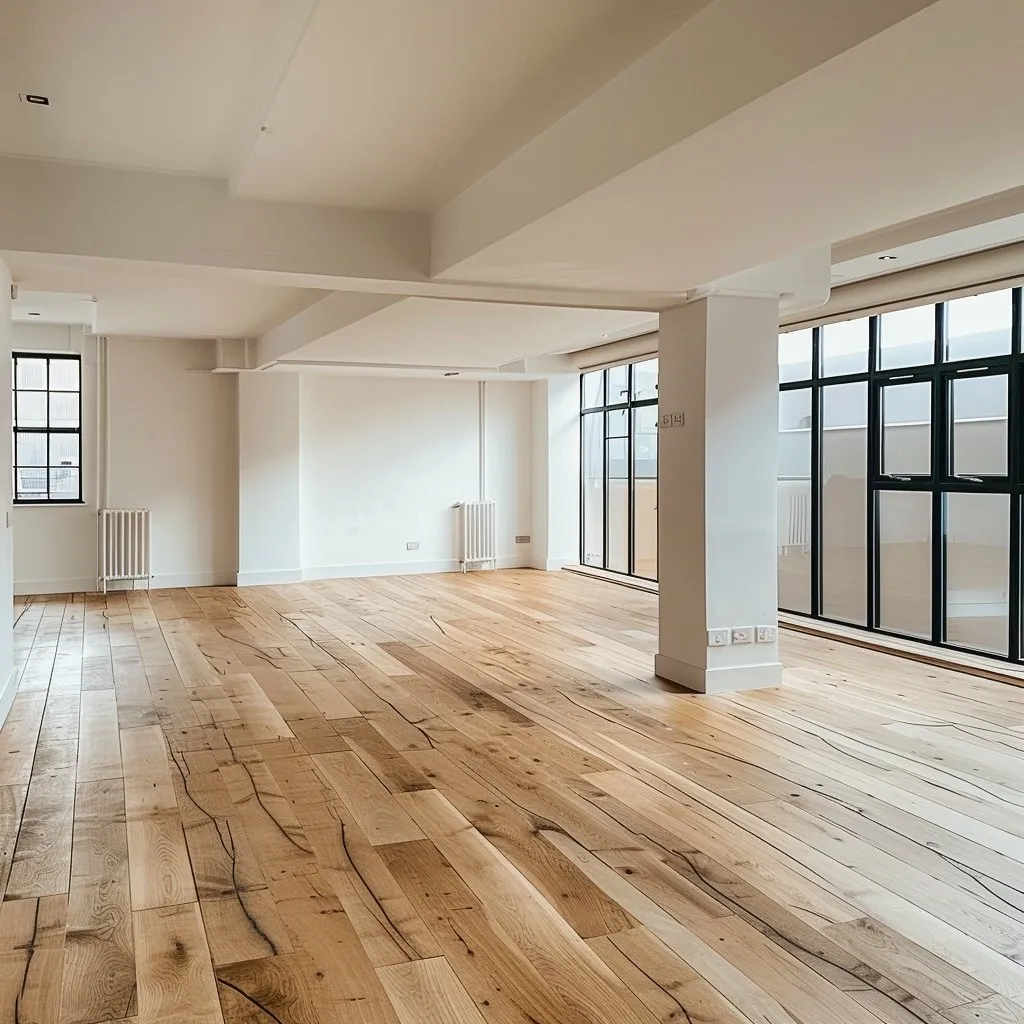
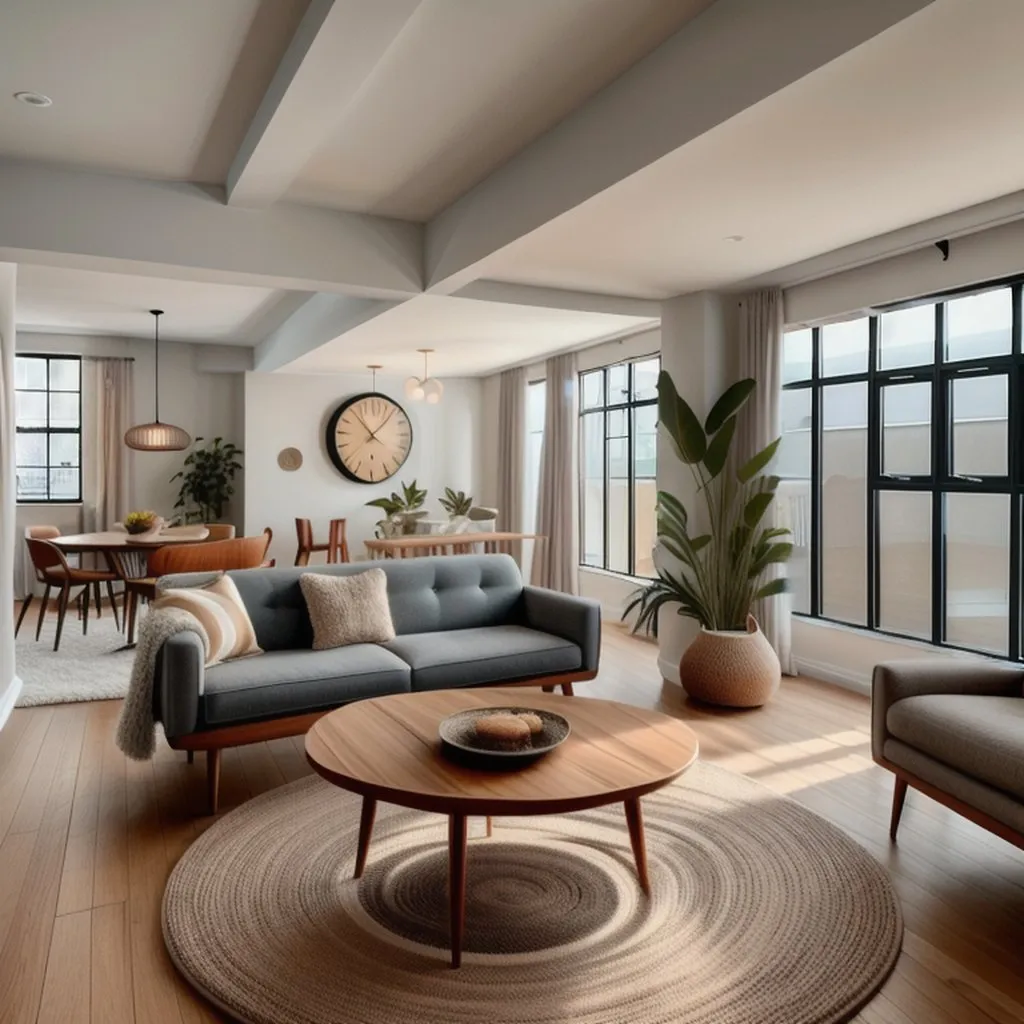
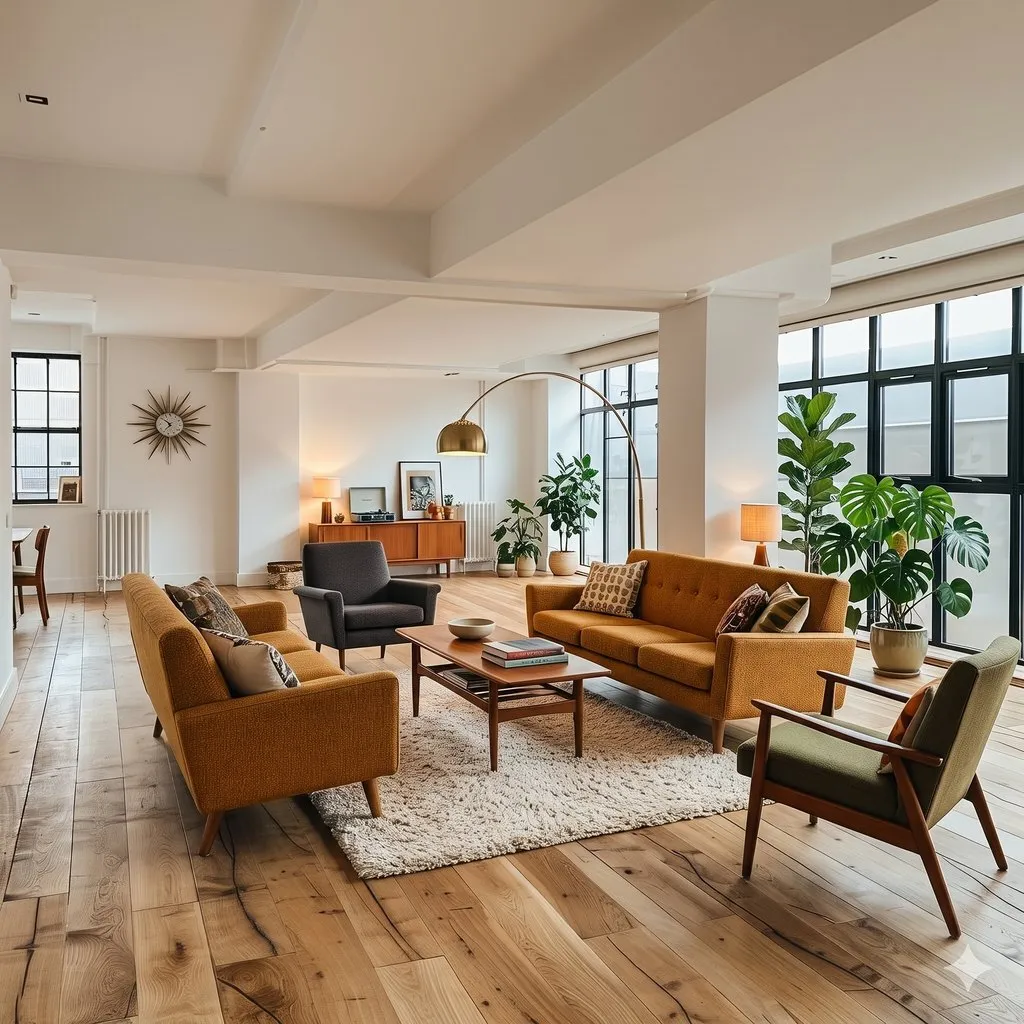
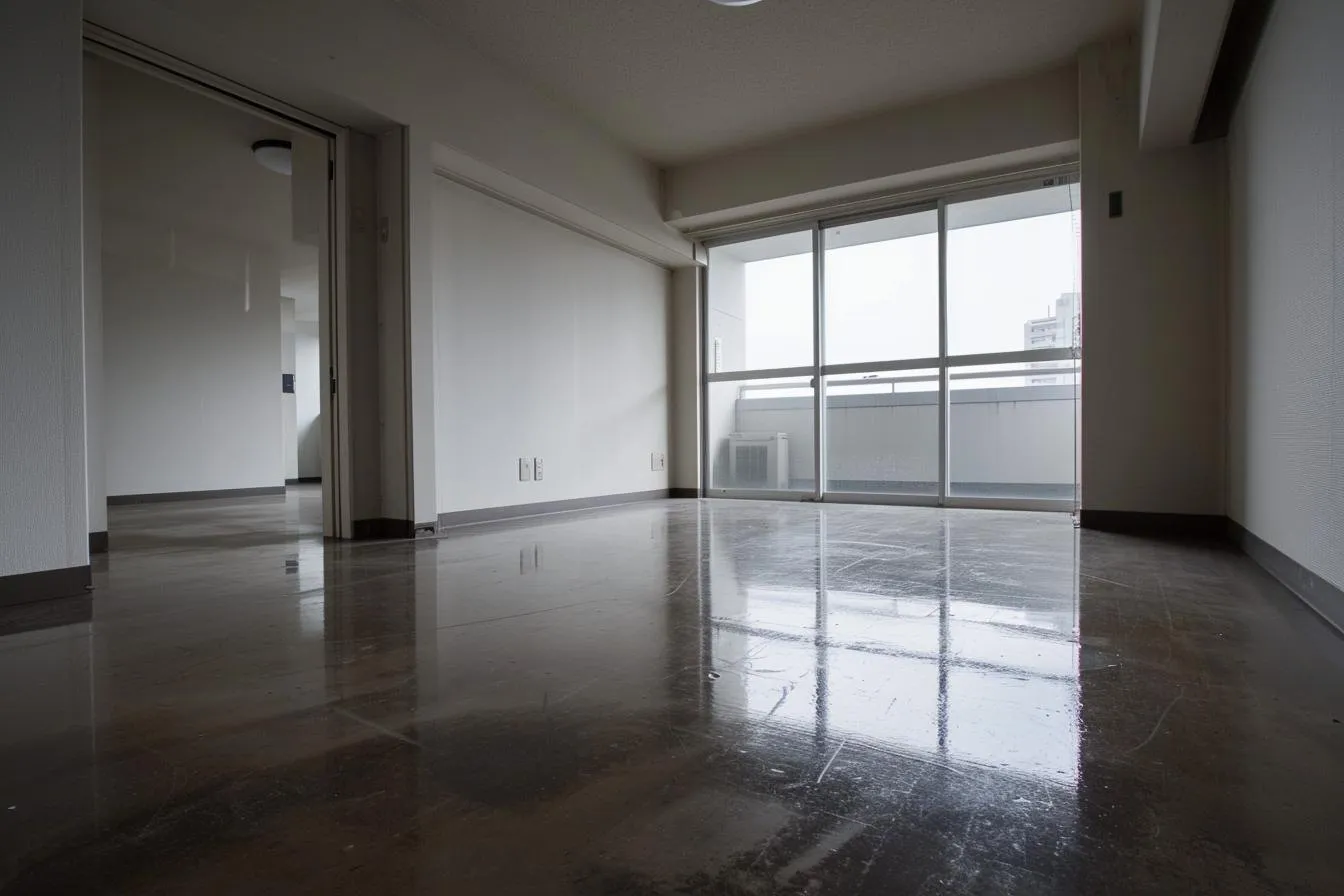
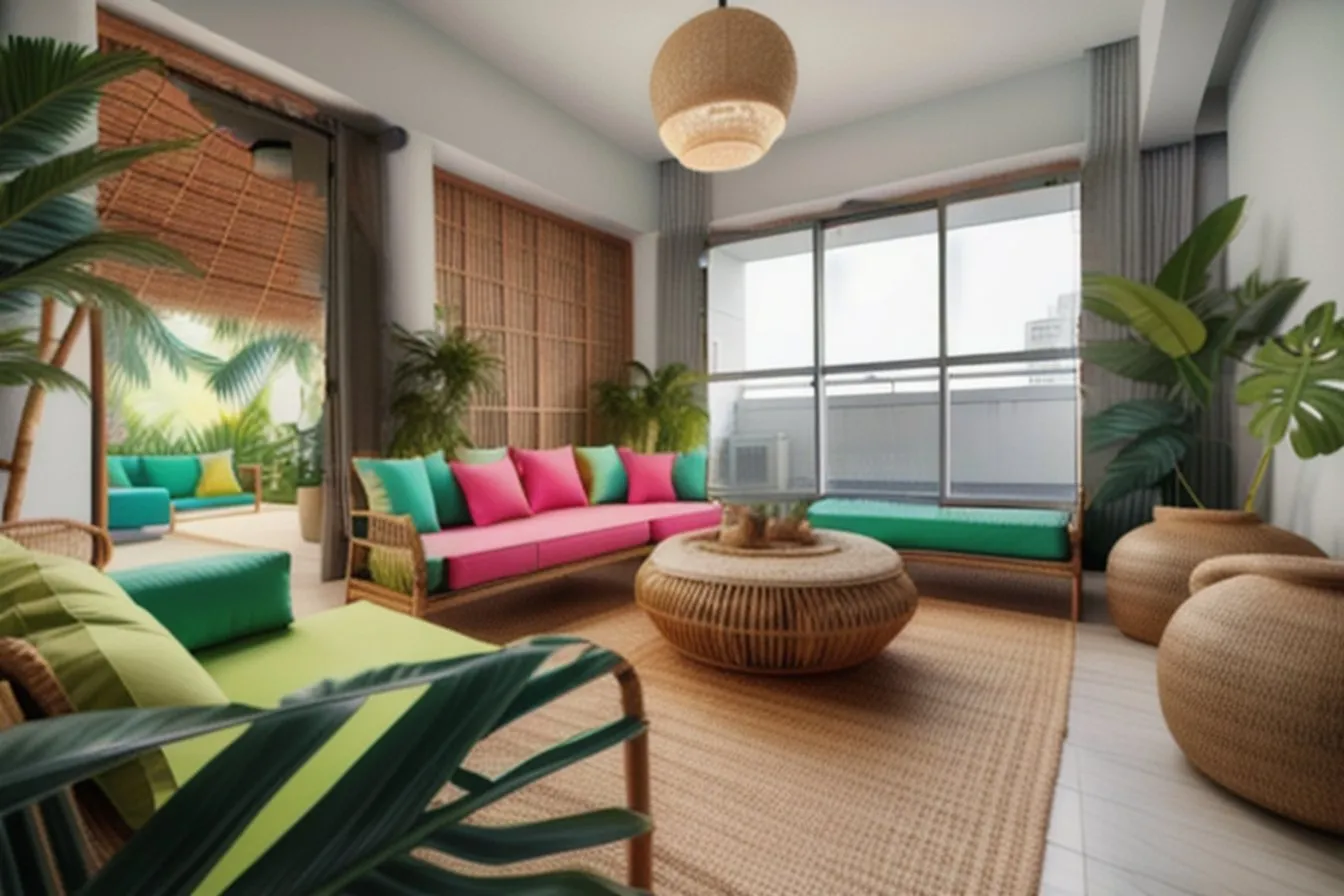
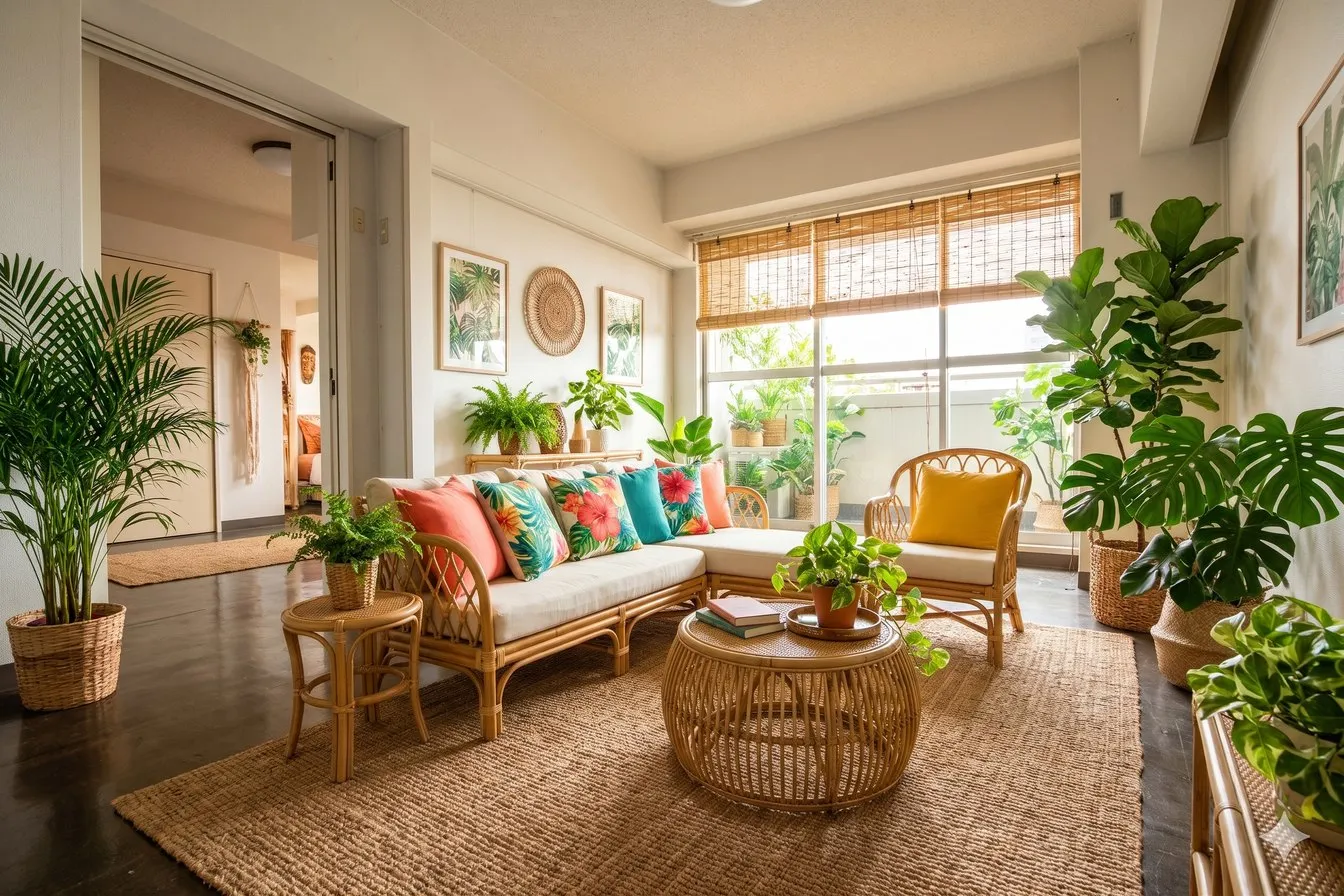
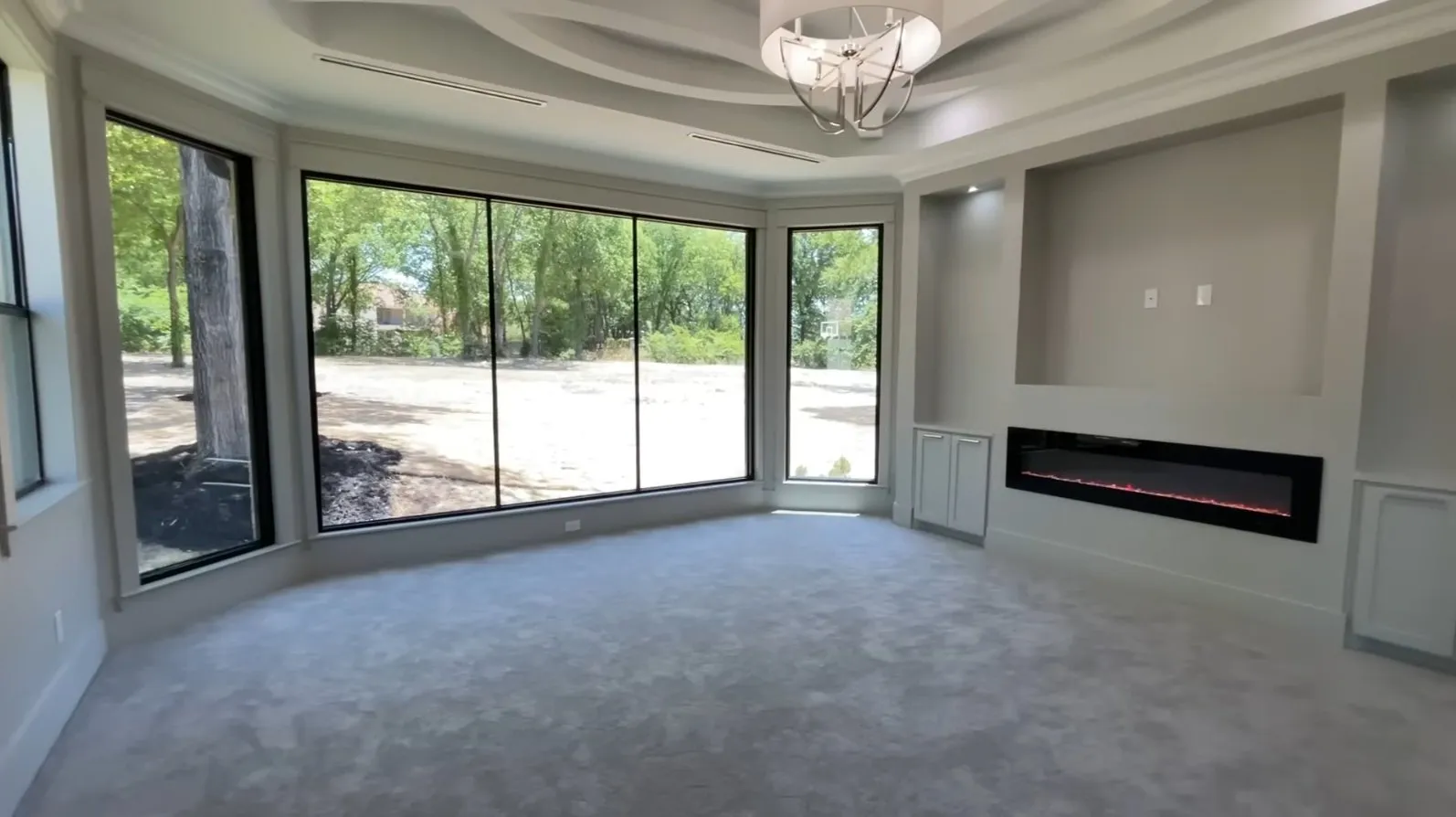
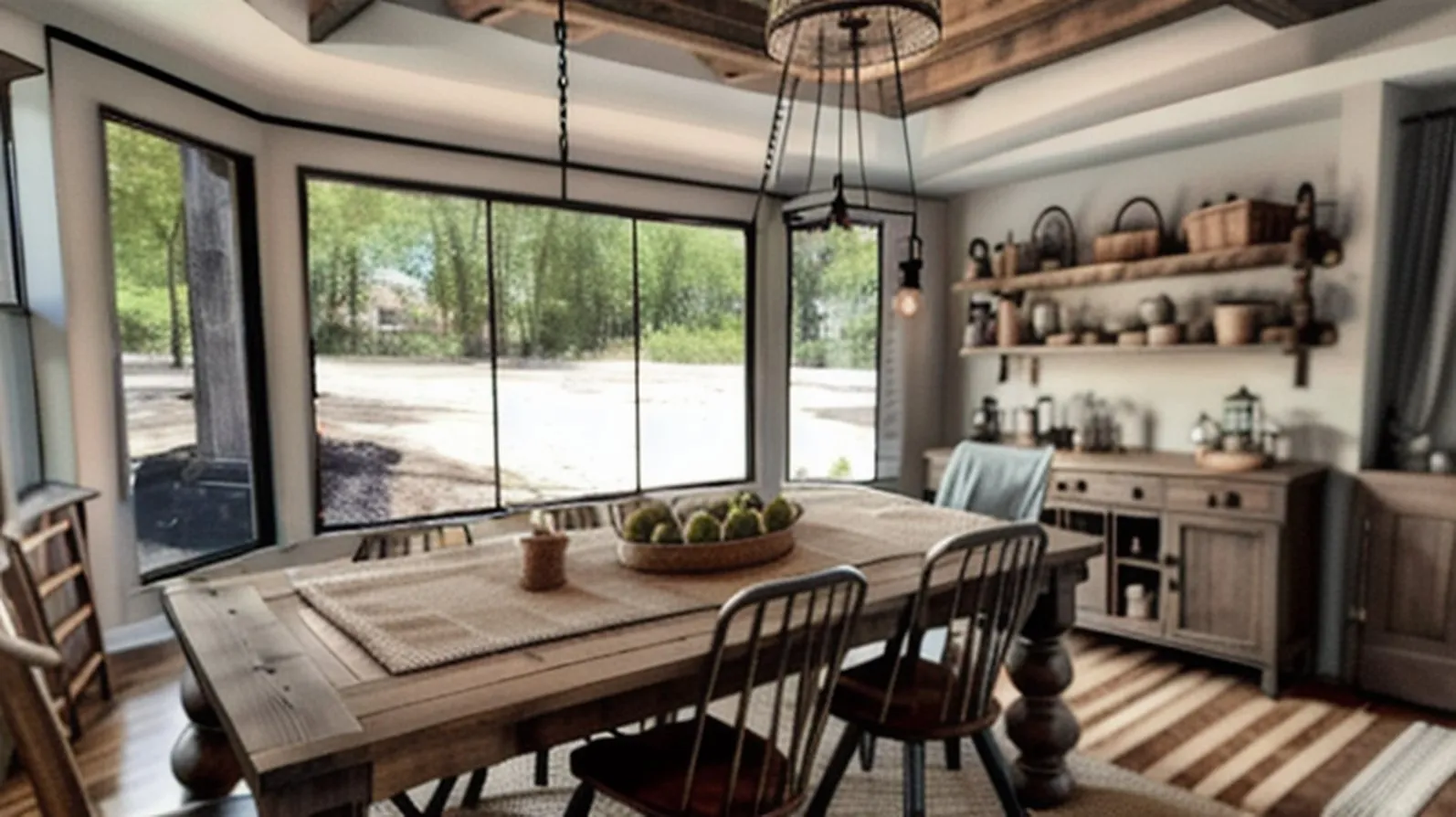
Three empty rooms furnished by the pipeline above; two of them were also run through a multimodal model, Gemini 3 Flash. That is a later model than the Gemini 2.5 Flash Image in the timeline, so the timeline row shows the idea, not the model tested. Only room B’s prompt is shown here. Room B is image_2 from the starter kit’s public demo set, and its prompt was “A vibrant living room with a tropical theme, complete with comfortable rattan furniture, large leafy plants bringing the outdoors in, bright cushions adding pops of color, and bamboo blinds for natural light control.”
Checklist: did the AI change your room’s structure?
Whether you are trying a tool or building one, these checks come straight from what went wrong above. Run them on the output, not just the prompt.
| Check | What to look for | Pipeline (our 3 rooms) | Gemini (2 rooms) |
|---|---|---|---|
| Doors and windows | Same position, size and count as the photo | Room B: doorway replaced | Kept in A and B |
| Fixed objects | Radiators, columns, beams still there | Room A: column and radiators removed | Kept in A |
| Floor and ceiling | Material not swapped unless asked | Room B: floor changed to tile | Not changed in A or B |
| Sharpness | No softening of the original areas | Room B softer | Not observed |
| Scale and fit | Furniture sized to the room | Not measured | Not measured |
It also helps to know what these tools are not. The output is a generated picture, not a measured plan, so use it to compare style directions, not to order furniture or check clearances.
What changed
Multimodal models read the photo and the instruction in one system. The surveyor, the depth estimator, the two guide rails, the style sketch and the judge are no longer separate components. The same model that understands the picture changes it, and it can take follow-ups like “keep the window, make the sofa smaller.”
In our two rooms, Gemini 3 Flash kept the structure (in room A the column, radiators and window grid; in room B the open doorway), where the pipeline’s output changed it. One system that sees the whole photo has less to get wrong than eight systems passing notes.
How to design a room with AI, step by step
Whichever tool you use, these steps follow from how the systems above work.
- Take a clear photo. Shoot wide, from a corner or doorway, in even daylight, with clutter cleared. The AI can only work from what the photo shows.
- Name what must stay. List the windows, doors, radiators and any fixed feature in your prompt, or switch on a “keep layout” option if your tool has one. This is the cheapest protection.
- Describe the style specifically. The competition prompt names a style, a sofa material, a table and a rug, not just “modern”. Specific pieces give the painter less to guess.
- Generate several versions. The pipeline paints five and keeps one. Do the same by hand, because a different random starting point gives a different room.
- Check each version against your photo. Use the checklist above: doors, windows, fixed objects, floor and ceiling.
- Treat the result as a concept. It is a generated picture, not a measured plan. Measure before you buy furniture or move anything.
What to take away
Making a room look good is the easy part now. What separates a usable redesign from a pretty picture is whether the room’s structure survived, so check that first, with the list above. Still open: whether the furniture fits, whether the picture can be trusted as a measured plan, and what the training data allows you to ship.
Questions people ask
Can AI redesign a room without changing the walls, windows and doors?
Sometimes. Tools that lock those areas and take a “keep layout” instruction do better, but none of them guarantees it. In our two-room test, one approach kept the structure and the other did not. Always compare the result with your original photo.
Why does AI interior design change my windows and doors?
Because it repaints the picture from learned patterns and only protects what it recognises as a window or door. See the section above.
How does AI interior design work?
The system works out what is in your photo (which parts are walls, floor, windows) and how far away each part is, then repaints the allowed areas to match your style description while guide models try to hold the layout in place.
Is AI interior design accurate enough to plan a renovation?
No. The output is a generated image, useful for comparing styles, not a measured plan. Use it to decide on a direction, then measure the real room.
Words you may hear
- Inpainting
- Repainting only a marked part of a picture and leaving the rest alone.
- Mask
- A marked-out area of a picture that the AI is allowed to repaint.
- ControlNet
- An add-on that makes an image generator follow a guide, such as an outline or depth map.
- IP-Adapter
- An add-on that lets a reference image steer the generator, the way a text prompt does.
- Multimodal model
- One AI system that understands several kinds of content together, such as text and images.
Sources
- Generative Interior Design Challenge 2024 on AIcrowd (the task, the rules and the time limit this article is built on)
- StableDesign on Hugging Face (a public implementation of a top-placed entry to the same competition, which describes itself as the 2nd-place solution)
- ControlNet, arXiv 2302.05543 (the guide-rail idea that keeps a room’s layout in place)
- Gemini 2.5 Flash Image coverage (the single-model editing that replaces the pipeline)
The competition task and rules come from the AIcrowd page above. The eight-part pipeline was read from a public entry’s code, and the “learned from” column is a plain-language summary of each model’s published training data, not exact figures.